
Everyday AI
Where to publish a browser game: itch.io, CrazyGames, Poki
An itch.io game page in 10 minutes, what the CrazyGames and Poki portals require, and your own address on Netlify. What to choose for a first AI-made game.
A game in 1 file from a free AI chat: a description, a first version in 10 minutes, fixes without breaking things, a phone and itch.io. Shown on SlipZone.

Published
I made SlipZone without writing a single line of code. The first playable version came out of free ChatGPT after 10 minutes, and after 30 minutes the game had a score, effects, sound and finger controls on a phone. You can play it on itch.io. Below I describe the whole route in 7 steps, with the prompts I sent. I wrote them in Polish, so here they are in translation.
You don’t install anything. The game is 1 HTML file that you open with a double-click, like a photo.
For your first game, choose something you can describe in 1 sentence and that has 1 main mechanic. Arcade games (you dodge obstacles), puzzle games (you match 3 of the same), clickers, quizzes and endless runners work well. SlipZone fits in 1 sentence: you move left and right and dodge obstacles falling from the top, faster and faster, until something hits you.
Leave a 3D world, an online multiplayer game and a long story with an inventory for later. Each of them grows faster than the chat can keep fixing it.
Before you ask for code, ask the chat for a 1-page description of the game. Give it your assumptions: the genre, the controls on a computer and on a phone, when the game ends, the language of the in-game text and the graphics style. Whatever you leave out, the chat will choose for itself. My prompt started like this:
I want to make a simple browser game, but I can’t code. Help me describe my game idea on one page.
Below it came a list of assumptions and a request for 5 names in English. After about 30 seconds I had a description in 9 parts and 5 names. I typed each name into the itch.io search so as not to pick one that was taken. SlipZone gave no results.
In the same chat I sent the prompt for the first version. The chat already had the description in front of it, so I didn’t have to repeat it.
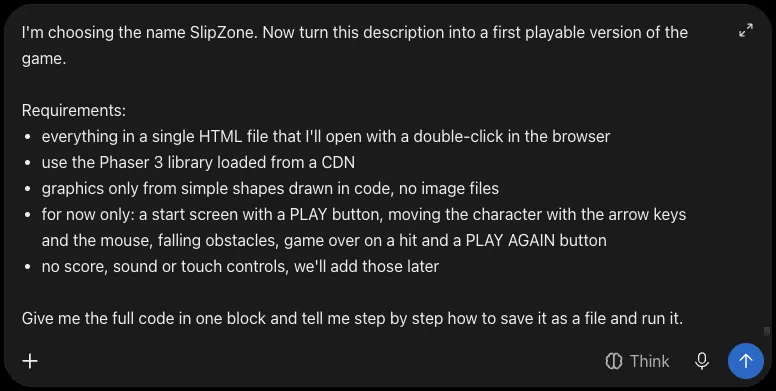
Look at the line “for now only”. The fewer things at once, the better the chance that the first version works. The score, sound and the phone come in later rounds. Phaser 3 is a free library for 2D browser games that AI chats know well.
ChatGPT thought for about a minute and returned the code in one block: 421 lines. You don’t have to read the code. Check only that it starts with <!DOCTYPE html> and ends with </html>. Save it as slipzone-v1.html, or with your own game’s name. In ChatGPT you can save it from the preview: the ▷ icon above the code, and in the preview the “Download code” arrow.
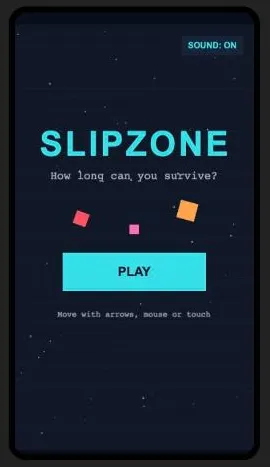
The start screen alone proves nothing. Click PLAY and play to the end of the round. In my first version nothing fell from the top, and the 3 squares from the start screen stood in the middle of the play area.
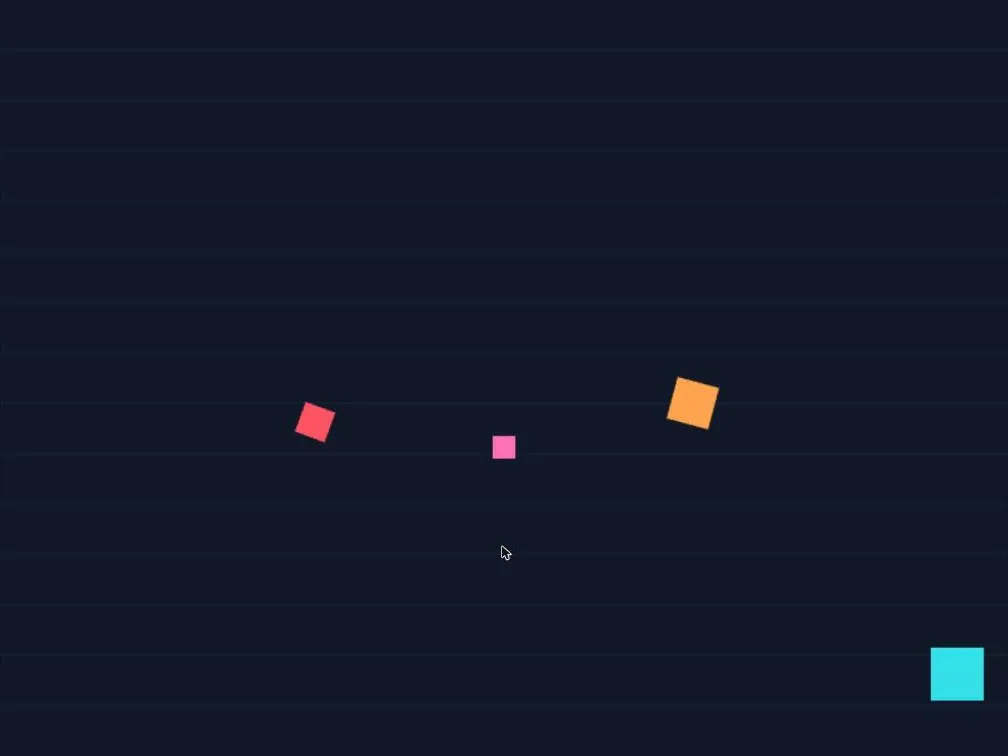
You don’t need to know what’s broken in the code. Describing what you see on the screen is enough:
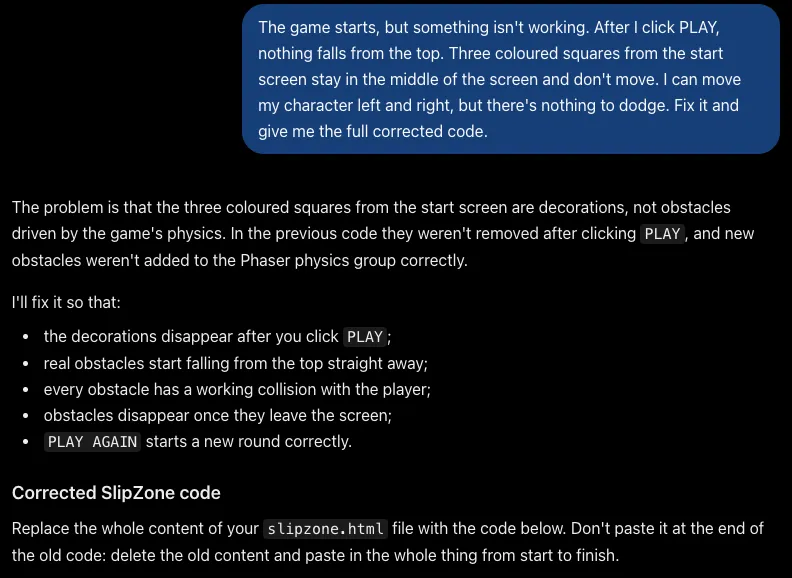
The game starts, but something isn’t working. After I click PLAY, nothing falls from the top. Three coloured squares from the start screen stay in the middle of the screen and don’t move. I can move my character left and right, but there’s nothing to dodge. Fix it and give me the full corrected code.
This description says what I click, what happens and what still works. ChatGPT found the cause by itself and fixed it on the first try. From the first prompt to a game without the bug took 10 minutes.
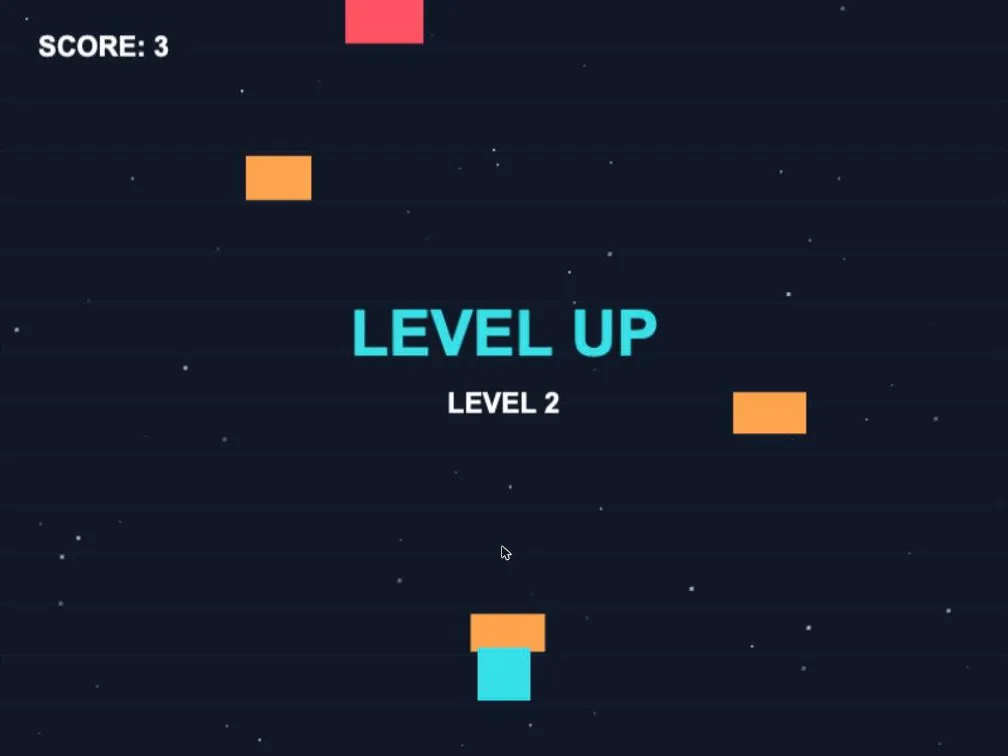
I added the score, effects and sound in separate rounds. Each round had the same rhythm:
3 rounds in this rhythm took about 5 minutes, and each one worked the first time.
The fourth round was meant to add finger controls and a portrait play area. On the phone it came out well, but on the computer 2 things that had worked before broke. The chat had said it was changing only the touch controls. Each new fix broke something else: after one of them the PLAY button responded only in its top-left quarter.
The rule I take from that round: after 2 failed fixes of the same thing, don’t ask for a third. Go back to the last working version, paste it into the chat and ask for the same change in a simpler way. In my case that was version 5, and the simpler way turned out to be a fixed play area of 450 × 800, scaled to the screen. Version 10 worked on the computer and on the phone, and had 316 fewer lines than the broken version 6.
That’s why you save every version in a separate file. Without v5 there would have been nowhere to go back to.
itch.io is a free site for independent games where a browser game starts with one click, on a phone too. The game page form took me 10 minutes: the title, the game file, a 405 × 720 portrait window, a description in English, the genre, tags and the question about AI use. The page starts as a draft that only you can see, and you publish it with one switch. I go through the form field by field, together with game portals, in the article on where to publish a browser game.
| Stage | In my case |
|---|---|
| A description of the game with the chat | 2 min |
| Choosing a name and checking it on itch.io | 3 min |
| The first version and the bug fix | 5 min |
| 3 rounds of new features | about 5 min |
| The phone, including the fix loop | 13 min |
| The game page on itch.io | 10 min |
Allow more time yourself: you read the replies, save the files and play after every change. A weekend leaves room for fixes and for ideas that come to you while you play.
A game on itch.io is only the start. I cover a release on Android in the article on how to release a game on Android, and the routes to your first money in can you make money from a game made with AI.
No. SlipZone was made in free ChatGPT, with 11 prompts. Work in short rounds in one chat and save each version of the game in a separate file.
Yes. The game page form asks whether AI was used for the game and for what: graphics, sound, text, code. SlipZone has code ticked, and its game page shows the note “AI Assisted, Code”.
Yes, if you ask for finger controls and a play area with a fixed size, for example 450 × 800, scaled to the screen. After each change for the phone, play on the computer too, because a fix for one screen can easily break the other.

Founder of FKDRIVE and software developer. Builds and maintains web systems and automation.
READ NEXT
Everyday AI
An itch.io game page in 10 minutes, what the CrazyGames and Poki portals require, and your own address on Netlify. What to choose for a first AI-made game.
Everyday AI
3 routes to money from a small game: in-game ad revenue, game portals and player payments on itch.io. Payout thresholds and how many players you need.
Everyday AI
A browser game on Google Play: a $25 account, a closed test with 12 testers for 14 days, a request to publish and about 3 weeks to the store.